Tap2Order
An easier way for small shops to take orders
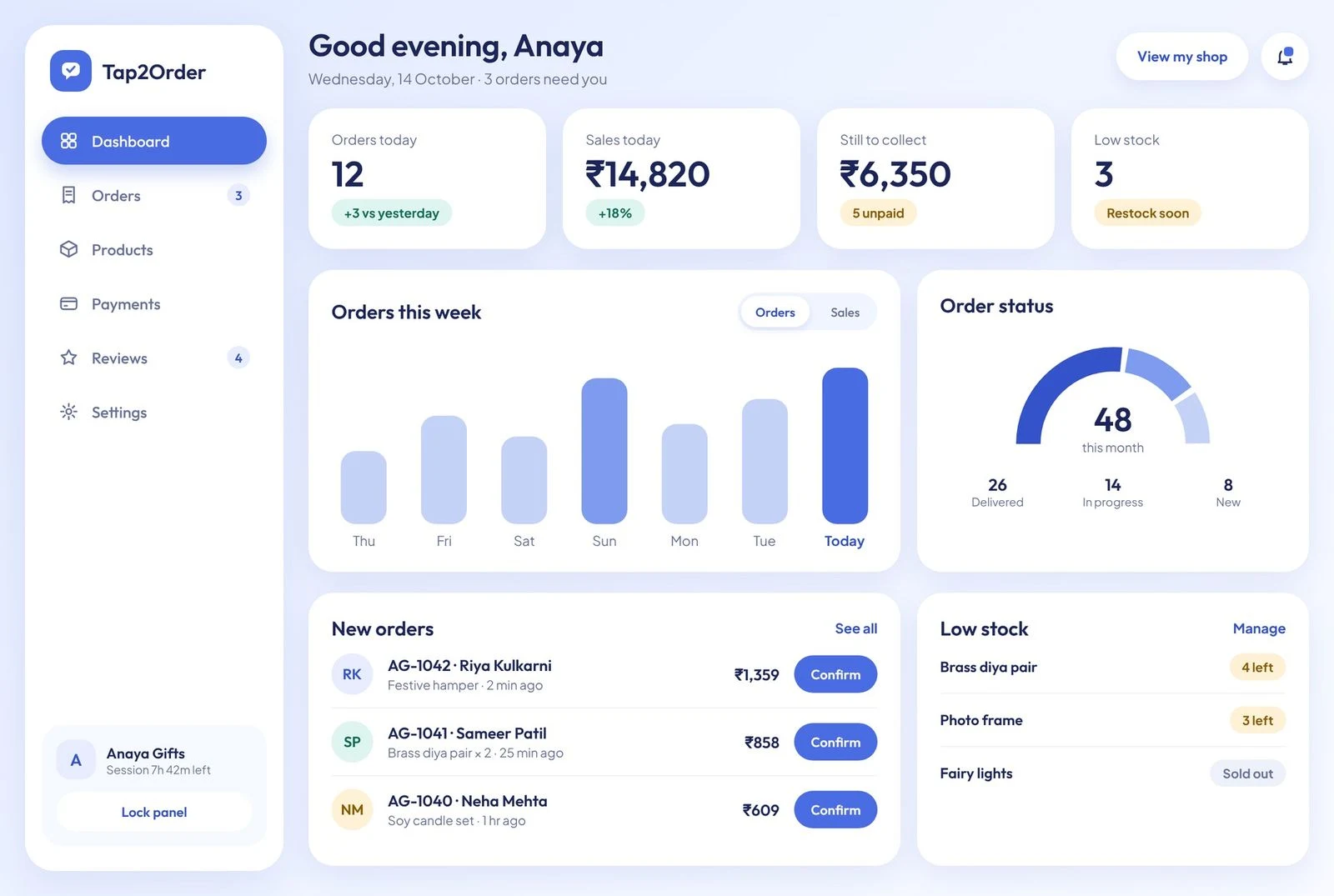
Customers browse on a phone and order on WhatsApp. The owner runs orders, stock, payments and reviews from one simple desktop panel.
Overview
Orders live in chats
Many small sellers already talk to customers on WhatsApp. That is where orders start, and it is also where they get lost between a chat thread, a notebook and memory.
Tap2Order keeps WhatsApp as the place customers order and adds the back office behind it: a shop link for shoppers, and a panel for the owner.
Challenge
Make it feel safe on the first visit
A shop owner with no technical training had to see her whole day at a glance. A new shopper had to understand the app in seconds, without creating an account or learning a new checkout.
My first direction was dark and festive. It was heavy for a first visit, so I redesigned it light, calm and cool.
Approach
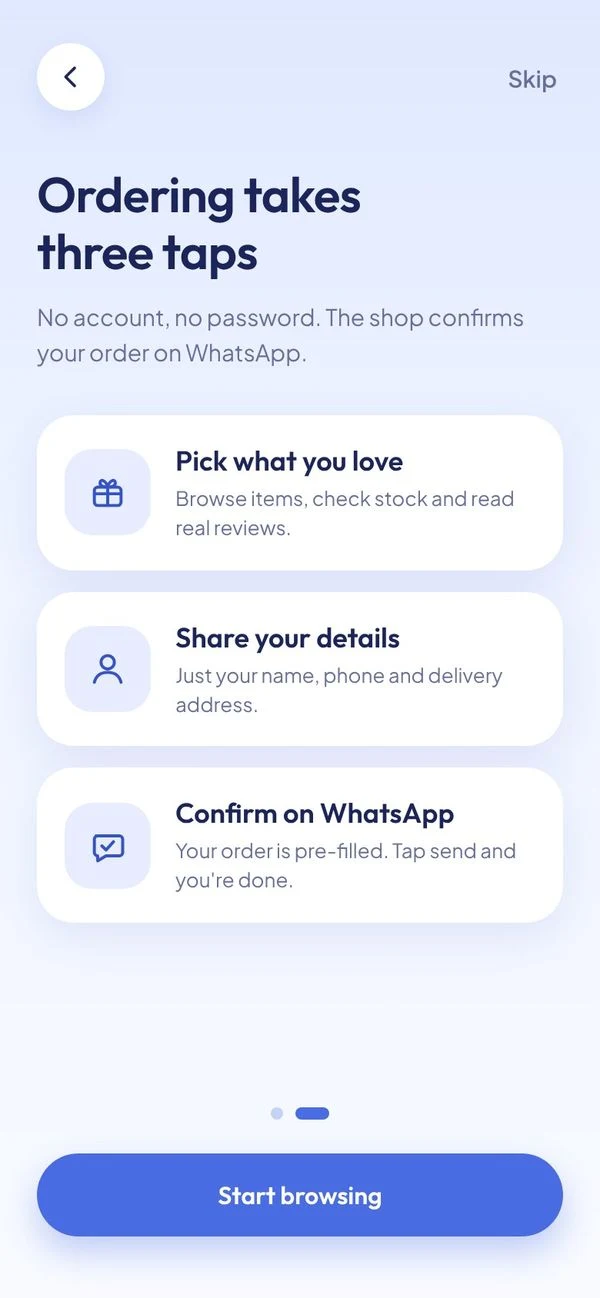
Three taps to an order
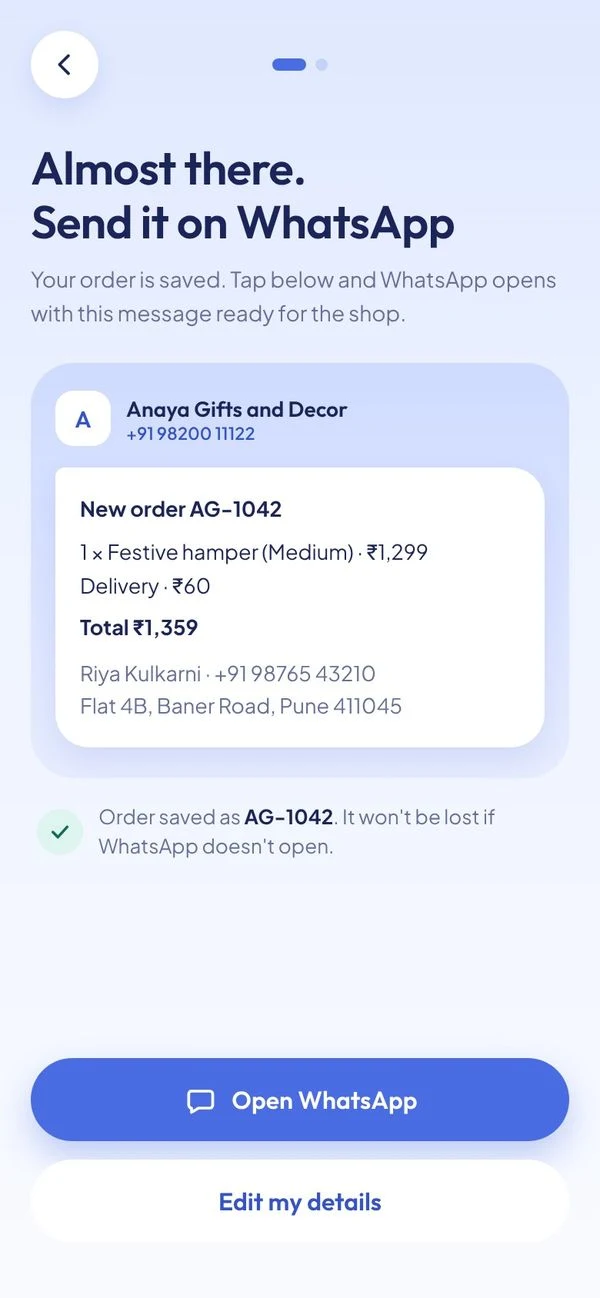
I mapped three lanes: a new shopper, a returning shopper and the owner. Onboarding teaches the flow before shopping. The order is saved first, then handed to WhatsApp with the message already written.
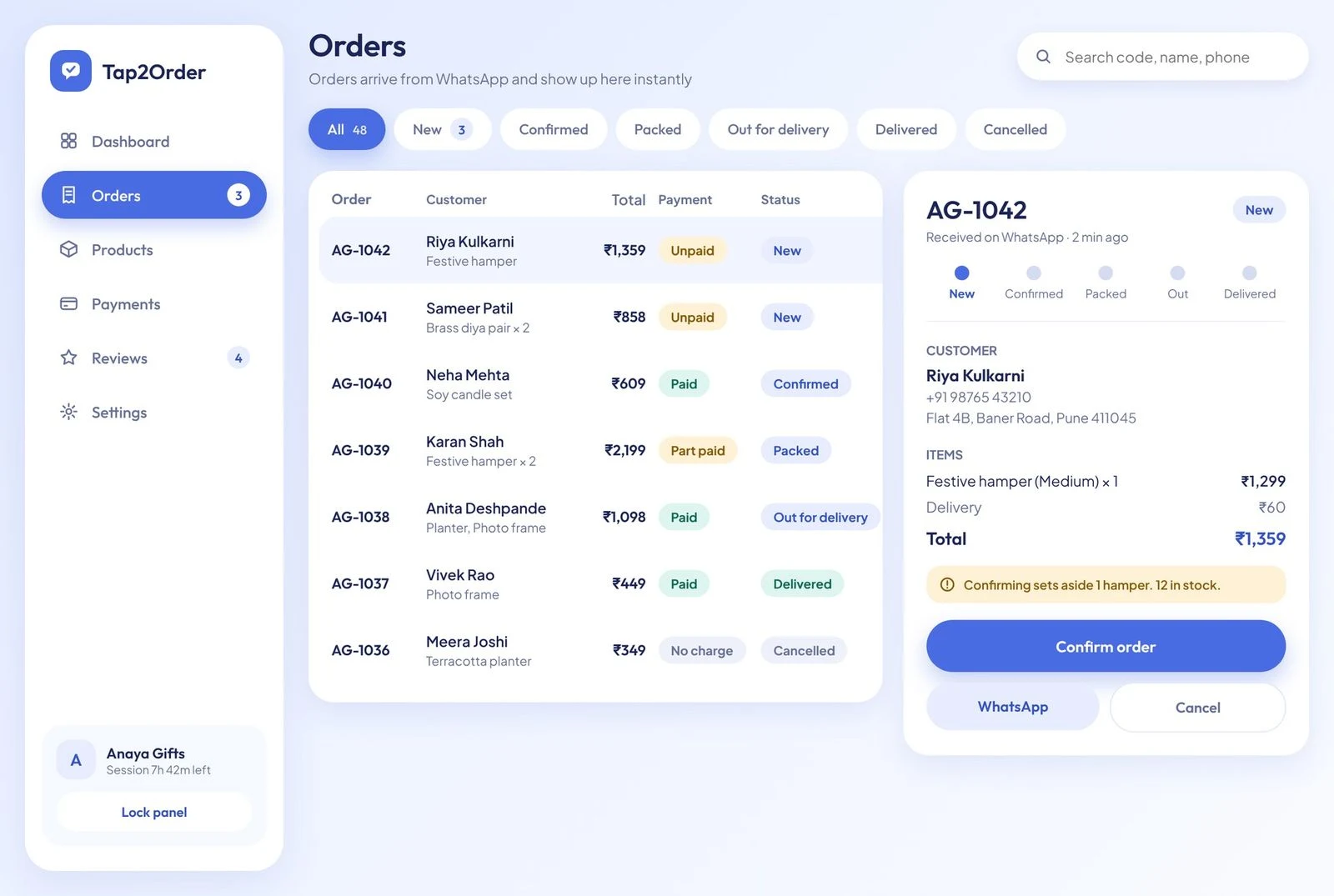
On the owner side, the dashboard answers one question: what needs me right now? Each new order has its Confirm button beside it.
Outcome
One calm system, two surfaces
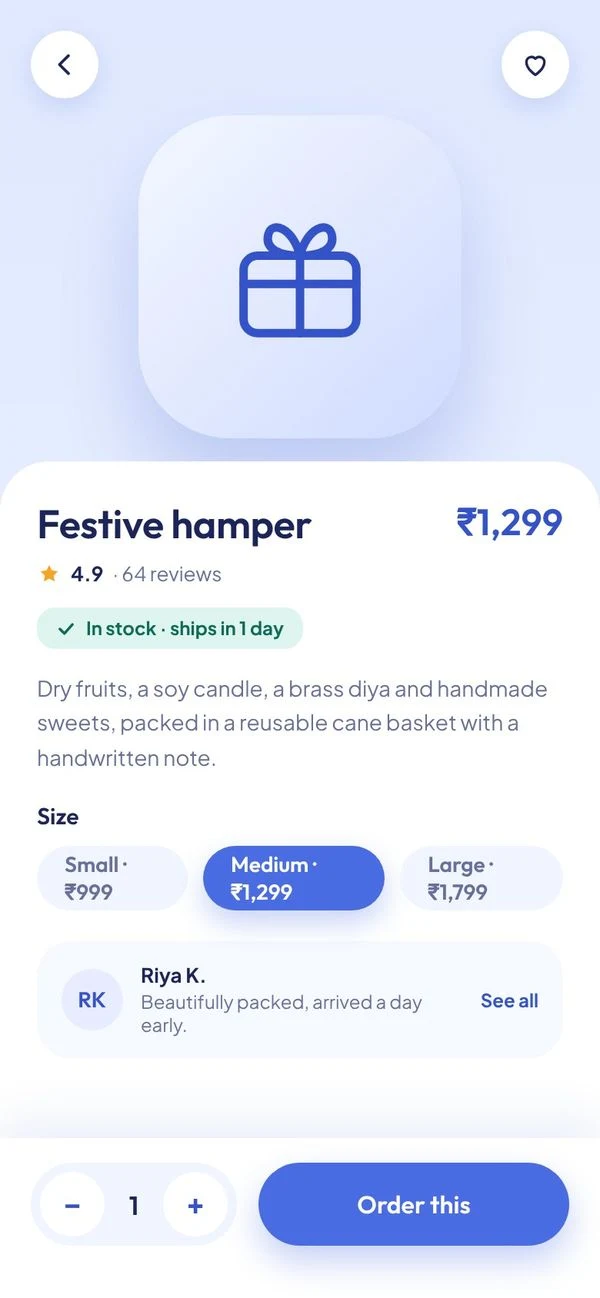
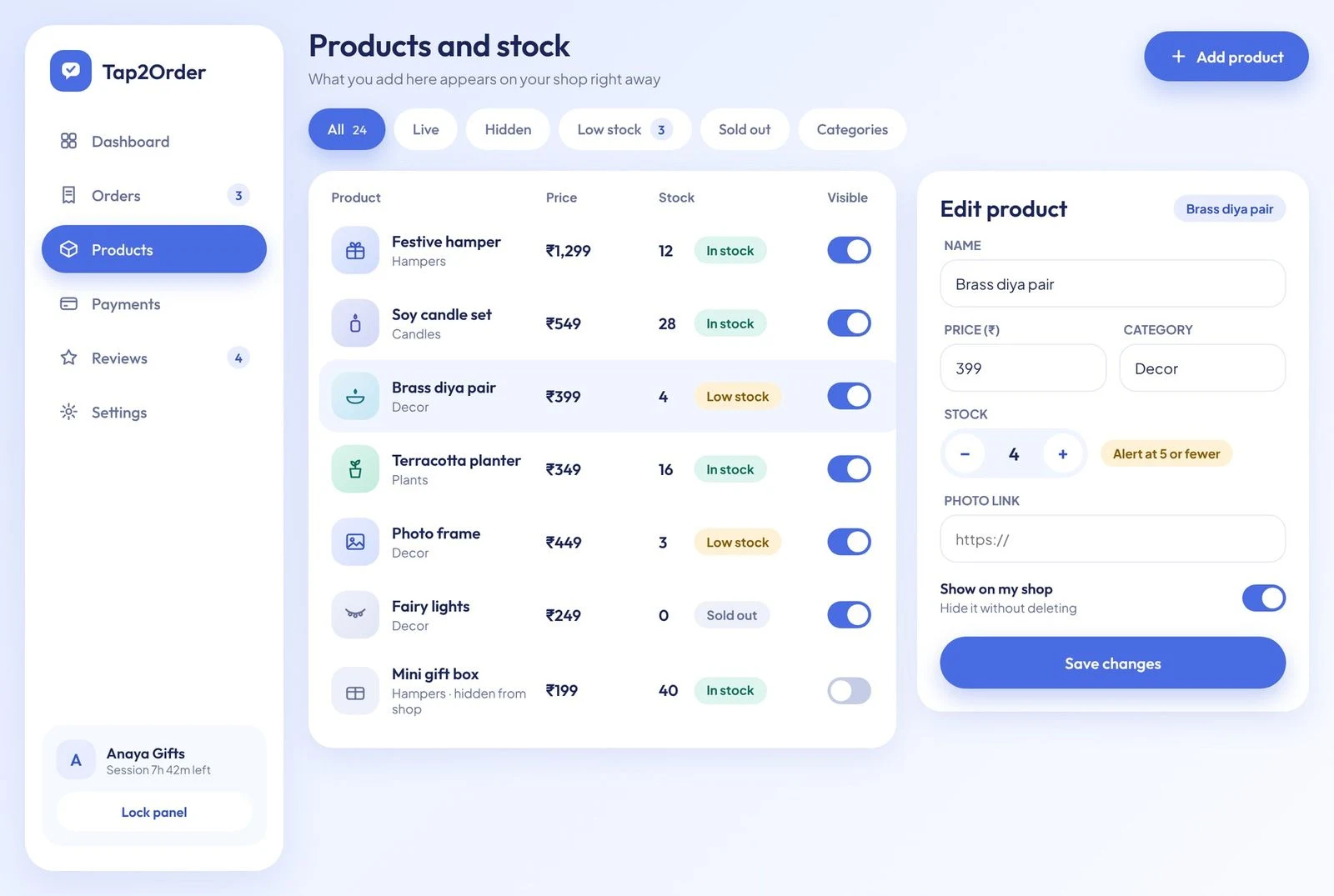
The result is a complete, clickable design: shopper screens, an owner panel and a light design system with one friendly typeface pair and soft blue surfaces.
It has not been tested with shop owners yet. That is the next step.
Full case study